

Download Voices for Natural, High-Quality Read-Aloud
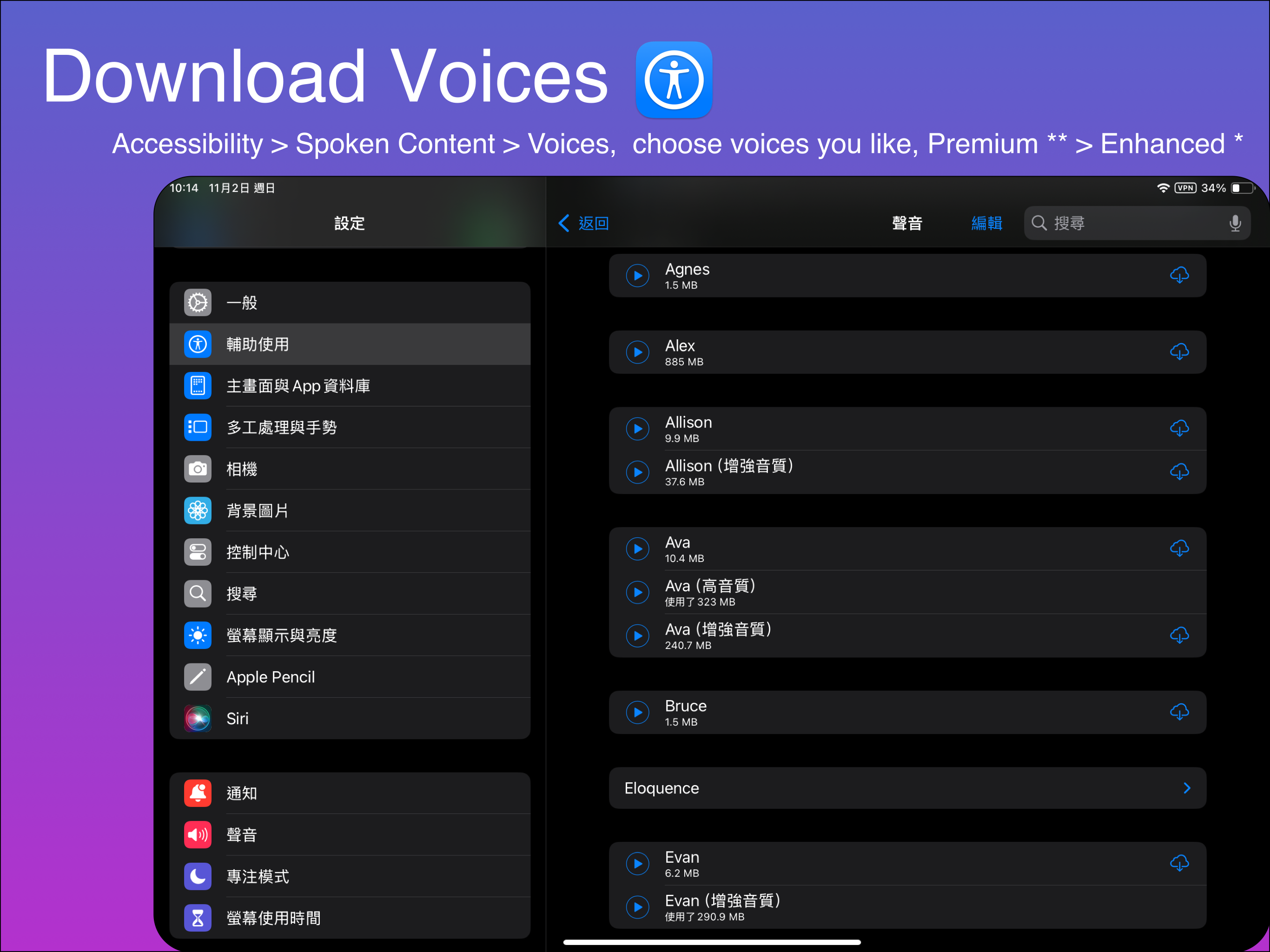
Make your PDFs sound like real human narrators! Download premium voices for crystal-clear, expressive reading — perfect for seniors, kids, or anyone who loves a natural voice.
Why Download Premium Voices?
| Benefit | Premium** | Enhanced* |
|---|---|---|
| Voice Quality | Studio-grade, human-like | High-quality, slightly robotic |
| Expressiveness | Natural pauses, intonation | Good, but less emotional |
| Offline Use | Supported | Supported |
| Best For | Long books, storytelling | Quick reads, learning |
Pro Tip: Always choose Premium voices for the best experience!
Step-by-Step: Download Voices in 3 Steps
Step 1: Go to “Manage Voices”
- Tap Settings > Accessibility
- Tap the Spoken Content > Voices
- e.g. English > Voice > Ava (Premium)
You’ll see Available Offline and Downloadable Voices sections
Step 2: Choose & Download Premium Voices
- Look for voices marked:
- Premium → Best quality
- Enhanced* → Good quality
- Tap the blue download icon next to your preferred voice (e.g., Samantha [US English], Wing [Chinese Traditional])
- Wait for download (~100–300 MB per voice)
Recommendation:
- Download at least one Premium voice per language
- Start with English and Chinese
Step 3: Use in Transay (Offline)
- Open a PDF or scan text
- Tap Source or Target Language
- Select your downloaded Premium voice
- Tap Play → Enjoy natural, expressive reading — even offline!
Premium vs Enhanced: Voice Quality Guide
| Voice Type | Mark | Quality | Example |
|---|---|---|---|
| Premium | ** | Studio-recorded, most natural | Samantha, Mei-Jia, Kyoko |
| Enhanced* | * | High-quality, slightly synthetic | Aaron*, Li-mu* |
It’s worth to use Premium Voices, and they’re FREE !
Supported Premium & Enhanced Voices (20+ Languages)
| Language | Premium Voices | Enhanced Voices* |
|---|---|---|
| English (US/UK) | Samantha**, Alex** | Aaron*, Kate* |
| Chinese (Traditional) | Wing**, Fung** | Ting-Ting* |
| Chinese (Simplified) | Li-Li** | Yu-shu* |
| Japanese | Kyoko** | Otoya* |
| Spanish | Marisol** | Paulina* |
| French | Amélie** | Thomas* |
| German | Anna** | Markus* |
| … 20+ languages | Supported | Supported |
More voices added regularly!
FAQ
| Question | Answer |
|---|---|
| How to identify Premium voices? | Look for the ** icon |
| Can I delete voices? | Yes — tap trash icon in “Manage Voices” |
| Download failed? | Check Wi-Fi or restart app |
| Storage needed? | ~200 MB per Premium voice |
| Free version limits? | No |